The best office headsets under 100 balance clear call controls, comfortable wear, and dependable connections for your workday. These five picks focus on dedicated microphones and office-friendly features, with options for wireless flexibility or a wired fallback.
Quick Top Products
JLab Go Work Pop

- Pairs with two devices at once through Bluetooth multipoint.
- The boom mic flips up to mute and rotates out of the way.
- Offers 50+ hours of wireless playtime.
Best For: Choose it for a lightweight wireless headset with a boom mic and quick mute control.

JLab JBuds Work Wireless Headset

- Supports wireless Bluetooth or wired use with the included cable.
- Provides 60+ hours of worktime per charge.
- Includes a 16-pack for outfitting multiple users.
Best For: A practical choice for office callers who want over-ear coverage and both Bluetooth and wired connections.
JLab Go Work Wireless Headset

- Connects to two devices simultaneously through Bluetooth multipoint.
- Includes a USB-C to 3.5mm cable for wired use.
- Has 45+ hours of playtime and Cloud Foam earcups.
Best For: For desk workers moving between computer calls and mobile calls who value long battery life.
SteelSeries Arctis Nova 3X Wireless
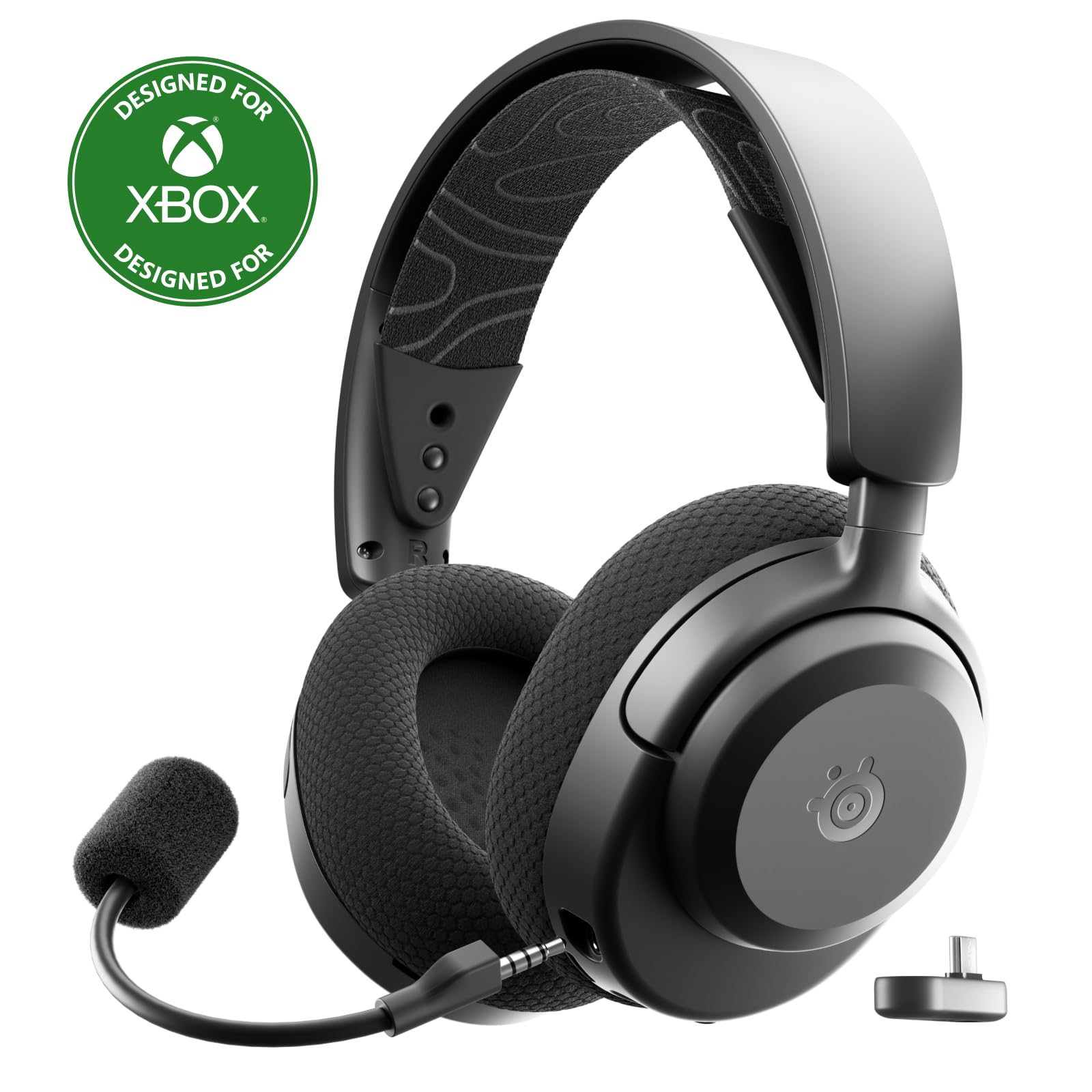
- Uses both 2.4GHz wireless and Bluetooth connections.
- A 15-minute fast charge provides up to 9 hours of playback.
- Compatible platforms include Xbox, PS5, PC, Switch, and mobile.
Best For: For hybrid work and gaming setups that need wireless connections across several platforms.
JLab Rewind 2 Wireless Headphones
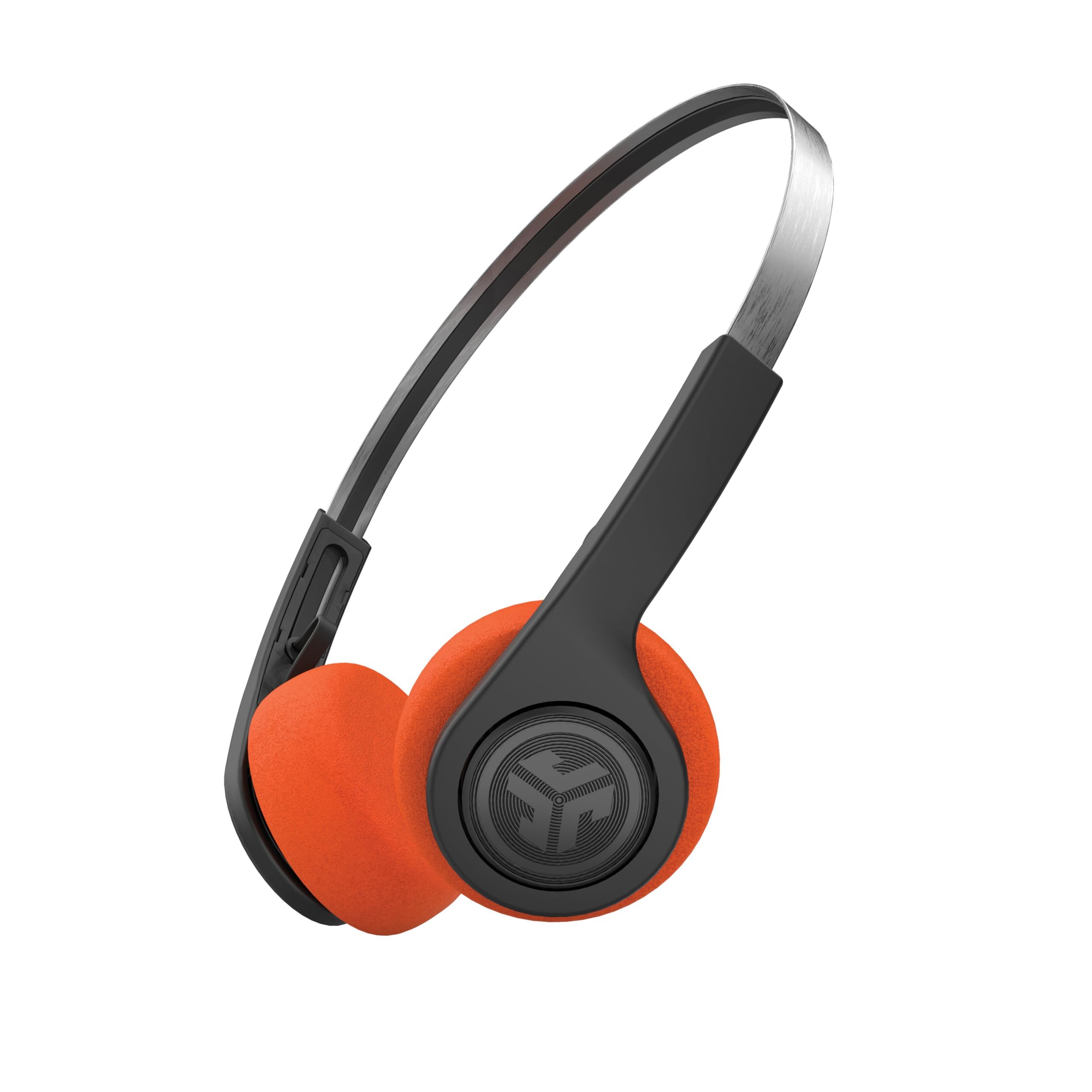
- Bluetooth multipoint connects two devices simultaneously.
- Includes two sets of foam pads in different colors.
- Provides 20+ hours of playtime with USB-C charging.
Best For: For lighter office call use where retro styling, two-device pairing, and wireless sharing are priorities.
Light On-Ear Pick for Back-to-Back Meetings
JLab Go Work Pop, On-Ear Wireless Headset, Bluetooth Multipoint, Noise Canceling Boom Mic, Black
The JLab Go Work Pop keeps an office setup simple with an on-ear fit, Bluetooth multipoint, and a rotating boom microphone. Its 50+ hours of playtime can cover a long stretch of work between charges, while Voice and Music EQ modes suit calls and casual listening.
The boom mic flips up to mute and rotates away when it is not needed. It can pair with a computer and phone at the same time, which helps when calls move between devices.
The tradeoff is its on-ear design; buyers who prefer broader ear coverage may want an over-ear option.
Best For: Choose it for a lightweight wireless headset with a boom mic and quick mute control.
| Pros | Cons |
|---|---|
|
|
This is a useful fit for people who want a compact office headset that can stay connected to a laptop and phone. The rotating mic and flip-to-mute action make call controls easy to reach, while the advertised 50+ hours reduce charging interruptions.
Choose an over-ear model if that fit matters more than a lighter on-ear design. Check that the Bluetooth connection and included charging arrangement suit your devices and desk routine.
Over-Ear Comfort With Wired Backup
JLab JBuds Work Wireless Headset with Microphone, Over Ear Computer Headsets, Wired or Wireless Headphones with 60+ Playtime, Multipoint Bluetooth Headset for Laptop Teams, Office with Mic (16 Pack)
The JLab JBuds Work headset combines an over-ear fit with wireless Bluetooth and a USB-C to 3.5mm cable for wired use. Multipoint connectivity allows simultaneous pairing with two devices, and the boom mic can flip up to hang up or down to answer.
Its 60+ hour worktime and Cloud Foam earcups are aimed at long stretches at a desk. A red LED indicates when the microphone is muted.
This offer is packaged as a 16-pack, so it is most relevant to teams or buyers intentionally looking for multiple headsets rather than someone shopping for a single unit.
Best For: A practical choice for office callers who want over-ear coverage and both Bluetooth and wired connections.
| Pros | Cons |
|---|---|
|
|
Consider this headset when outfitting a small team or when the 16-unit package matches the need. The over-ear fit and included wired cable offer a different kind of flexibility from compact on-ear Bluetooth models, and its mic has visible mute status.
Check the package quantity carefully before buying, since a single-user home office may not need a bulk pack. The record does not identify platform-specific call certification, so verify compatibility with your meeting setup.
Work Headset With Two-Device Pairing
JLab Go Work Wireless Headsets with Microphone, 45+ Playtime PC Bluetooth Headset and Multipoint Connect to Laptop Computer and Mobile, Wired or Wireless Headphones (1 Pack)
The JLab Go Work Wireless is an on-ear office headset with Bluetooth multipoint for connecting to two devices at once. It also includes a USB-C to 3.5mm cable, giving buyers a wired listening option.
JLab describes the battery life as 45+ hours, and the Cloud Foam earcups are intended for all-day comfort. Its dual-microphone C3 calling setup separates voice pickup from environmental sound handling.
The boom microphone rotates up for listening and back down for calls, while a red LED at its tip shows when mute is active. Consider it for flexible device switching, while checking that an on-ear design suits your fit preference.
Best For: For desk workers moving between computer calls and mobile calls who value long battery life.
| Pros | Cons |
|---|---|
|
|
The Go Work suits people who switch between computer and mobile calls and appreciate having a wired fallback. Its multipoint connection and boom mic controls are practical for an everyday desk setup, while the 45+ hour figure offers extended time between charges.
Compare its on-ear fit with the JBuds Work if you prefer over-ear coverage. Before buying, confirm how the included cable connects to your computer or phone, especially if your devices require a separate adapter.
Wireless Pick for Gaming and Office Audio
SteelSeries Arctis Nova 3X Wireless Multi-Platform Gaming Headset — Mobile App Control — 40 HR Battery — Neodymium Magnetic Drivers — 2.4GHz/Bluetooth — Xbox, PS5, PC, Switch, Mobile — Black
The SteelSeries Arctis Nova 3X is a wireless headset aimed primarily at gaming, but its multi-platform USB-C dongle and Bluetooth connection can also suit a desk shared by work and play devices. It supports Xbox, PlayStation, PC, Switch, and mobile, according to the product title.
The listed battery life is up to 40 hours, with fast charging that provides up to 9 hours of playback from 15 minutes of charging. At 260 g, it has a stretchy headband and multiple adjustment points.
This is less office-specific than headsets with a dedicated rotating boom mic and explicit mute indicator, so check its call-control fit for your meetings.
Best For: For hybrid work and gaming setups that need wireless connections across several platforms.
| Pros | Cons |
|---|---|
|
|
Choose the Nova 3X if one wireless headset needs to move between work devices and gaming platforms. Its USB-C dongle, Bluetooth, and fast charging provide connection and charging flexibility, while the mobile app is designed around game audio presets.
For frequent video calls, compare its call controls with office-first options that explicitly include a rotating boom microphone and mute indicator. Check that your meeting software and devices work with the connection method you plan to use.
Retro Style With Multipoint and Sharing
JLab, Rewind 2, Retro Wireless on-Ear Headphones, Bluetooth multipoint, EQ3, Google Fast Pair, Be Aware, Wireless Sharing, Black
The JLab Rewind 2 brings a retro on-ear design to an office-adjacent role, with Bluetooth multipoint for two devices and a built-in microphone for calls. Its 20+ hours of playtime and USB-C charging provide everyday wireless convenience.
On-ear controls handle volume, tracks, and calls, while the JLab app supports EQ customization and control remapping. The included orange and black foam pad sets let buyers change the look.
It is less meeting-focused than the Go Work models because its features center on general listening and call management rather than a rotating boom mic with a visible mute indicator. Choose it for casual calls and listening, not as a specialized conference headset.
Best For: For lighter office call use where retro styling, two-device pairing, and wireless sharing are priorities.
| Pros | Cons |
|---|---|
|
|
The Rewind 2 is a reasonable choice for a desk where music and occasional calls matter as much as formal meetings. Its multipoint connection can keep a laptop and phone paired, and the app adds control over EQ and button behavior.
Buyers who spend much of the day on video calls may prefer an office headset with a dedicated boom mic and explicit mute status. Check whether its on-ear fit and general-purpose microphone suit your meeting environment.
How to Choose Office Headsets Under 100
How We Picked Best Office Headsets Under 100
The candidates include several general-purpose and kids' headphones, so this roundup prioritizes products with features suited to work calls: a microphone, device flexibility, call controls, and a practical desk fit. The strongest office-specific options include a rotating boom mic, multipoint Bluetooth, and a wired fallback.
The Nova 3X and Rewind 2 are included as more flexible listening choices, with the caveat that their supplied features focus less directly on meeting controls.
All five selected products fall under the stated $100 ceiling based on the provided snapshot prices, which can change. The JBuds Work offer is a 16-pack, making it relevant mainly when a team needs several units.
Color variations of the same kids' headphone model are excluded rather than counted as separate recommendations.
Comparing Office Headsets for Calls and Device Switching
The JLab Go Work Pop and Go Work are the most explicitly office-focused single headset options here. Both offer on-ear fits, boom microphones, and multipoint pairing.
The Pop emphasizes 50+ hours of playtime and flip-to-mute operation; the Go Work includes a wired cable and a red mute indicator. The over-ear JBuds Work adds an included wired connection and 60+ hours of worktime, but this offer is a 16-pack.
The SteelSeries Arctis Nova 3X offers 2.4GHz and Bluetooth connections across gaming platforms, with up to 40 hours of battery life and fast charging. The Rewind 2 is more of a general listening headset with multipoint, app controls, and wireless sharing.
The coordinator's comparison table can make these differences easy to scan, but call-focused buyers should pay special attention to microphone style and mute controls.
| Product | Standout features | Best for |
|---|---|---|
| JLab Go Work PopCheck Price |
| Choose it for a lightweight wireless headset with a boom mic and quick mute control. |
| JLab JBuds Work Wireless HeadsetCheck Price |
| A practical choice for office callers who want over-ear coverage and both Bluetooth and wired connections. |
| JLab Go Work Wireless HeadsetCheck Price |
| For desk workers moving between computer calls and mobile calls who value long battery life. |
| SteelSeries Arctis Nova 3X WirelessCheck Price |
| For hybrid work and gaming setups that need wireless connections across several platforms. |
| JLab Rewind 2 Wireless HeadphonesCheck Price |
| For lighter office call use where retro styling, two-device pairing, and wireless sharing are priorities. |
Choosing a Wireless Office Headset for Your Workday
For a desk shared by a laptop and phone, multipoint pairing can keep both devices connected at once. The Go Work Pop, Go Work, JBuds Work, and Rewind 2 all describe two-device Bluetooth connections.
The Nova 3X instead pairs Bluetooth with a USB-C dongle, which is useful for a multi-platform setup but serves a different connection pattern.
Battery figures are not directly comparable across all models: some describe playtime and others worktime, and the Nova 3X's figure is up to 40 hours. For a long meeting day, consider charging behavior, whether a cable can serve as a fallback, and how quickly you can mute the microphone.
The Go Work and Go Work Pop have especially clear mic controls in the supplied features.
Fit, Microphone, and Office Call Controls
On-ear models such as the Go Work and Go Work Pop are compact, while the JBuds Work uses an over-ear fit. Pick the style you find comfortable for long sessions.
Cloud Foam appears on the JLab work models, but fit comfort remains personal, so check return terms if you are unsure.
A boom mic places call controls close at hand, and a visible mute indicator can help during video calls. The Pop flips up to mute; the Go Work and JBuds Work describe a red LED.
The Nova 3X and Rewind 2 have broader listening features, but the supplied details do not specify a dedicated boom mic or mute indicator for those models.
Who Should Buy Which Office Headset?
Choose the Go Work Pop for a lightweight on-ear option with long stated playtime and flip-to-mute convenience. Pick the Go Work if you want its wired cable and red mute indicator, or consider the JBuds Work when an over-ear fit and bulk quantity suit a team.
The Nova 3X fits a hybrid gaming and work setup that needs a USB-C dongle and Bluetooth. The Rewind 2 suits casual calls, music, and two-device pairing in a retro design.
Before choosing, match the headset's fit and connection approach to your devices, then confirm that its microphone controls fit your meeting habits.